Loading content…
Join a Group
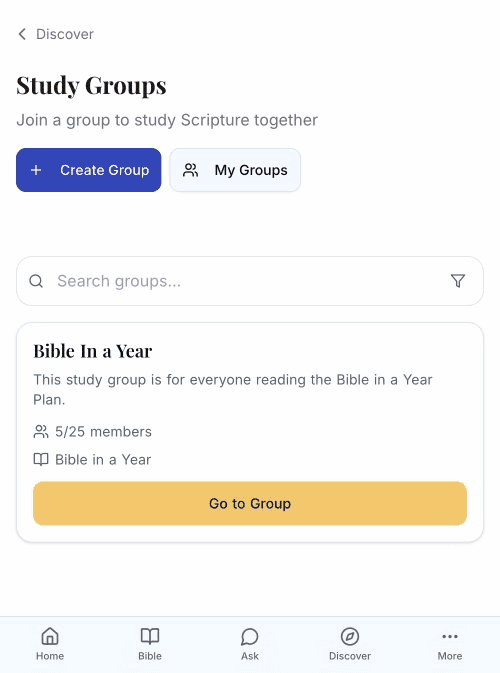
Connect with others by joining a study group.
Requirements
To join a group, you need:
- A TheoScriptura account (free or paid)
- To be signed in
Join a Public Group
- Browse available groups
- Find a group you'd like to join
- Tap Join Group
- You're now a member!
Open Groups
Join instantly — no approval needed.
Approval Required Groups
- Tap Request to Join
- Wait for the group leader to approve
- You'll be notified when accepted
Join a Private Group
Private groups require an invite:
- Get the invite link or code from a group member
- Open the link or enter the code
- Confirm you want to join
- You're added to the group
What Happens When You Join
When you join a group:
- The linked reading plan is added to your account
- You appear in the group's member list
- You can see group progress and discussions
- Your reading progress syncs with the group
View Your Groups
My Groups Page
- Tap More in navigation
- Select My Groups
- See all groups you've joined
Group Tabs
- Active — Groups you're currently in
- Created — Groups you've created (Scholar tier)
Group Limits
All tiers can join unlimited groups. Creating groups requires Scholar tier.
| Tier | Join Groups | Create Groups | |------|-------------|---------------| | Free | Unlimited | — | | Plus | Unlimited | — | | Scholar | Unlimited | Unlimited |
Leave a Group
If you want to leave:
- Go to My Groups
- Find the group
- Tap Leave Group
- Confirm your decision
You can rejoin public groups anytime. Private groups may require a new invite.